![White_logo_-_no_background[1]_edited_edited_edited_edited_edited_edited.png](https://static.wixstatic.com/media/6a1404_7d859959780e4d5491f141ee54a9a4d1~mv2.png/v1/fill/w_175,h_91,al_c,q_85,usm_0.66_1.00_0.01,enc_avif,quality_auto/White_logo_-_no_background%5B1%5D_edited_edited_edited_edited_edited_edited.png)
insphere Share
InSphere Share provides everything you need to mirror your device screen to TVs and interactive flat panels.
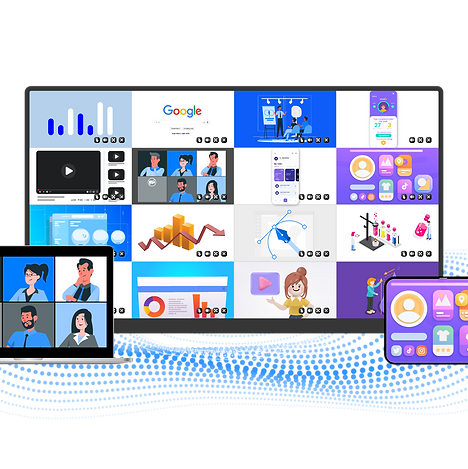
Easy Presentations & Collaboration
Share content from smartphones, tablets, laptops, and desktop computers, and wirelessly transmit it to interactive flat panels in real time.

Screen Mirroring
No cables required. Share content from up to 16 devices simultaneously.
Quick Mirroring via Web Browser
Share your screen seamlessly without the need to install additional apps.


Multi-Screen Sharing
A convenient feature that allows one device’s screen to be shared across multiple displays simultaneously.
Display Grouping
Easily share content from the main display with all grouped displays in real time.


Display Broadcasting
Participants and students can simultaneously view the content displayed on the large screen from their own devices.
Interactive Collaboration
Interact directly with shared content from the large display or personal devices, enabling more efficient collaboration.


No App Required
No software installation is required. Enjoy easy plug-and-play operation and wirelessly cast content from your laptop.
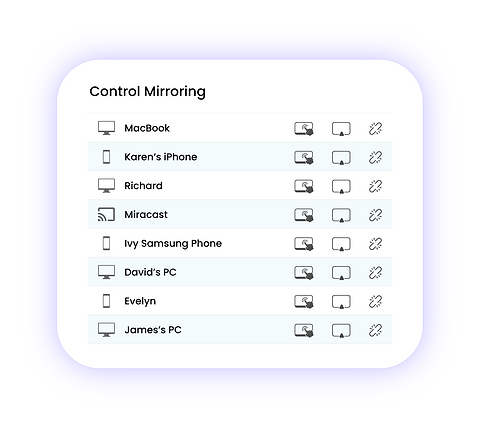
Control Mirroring
A mirroring feature that provides full control over the shared screen.
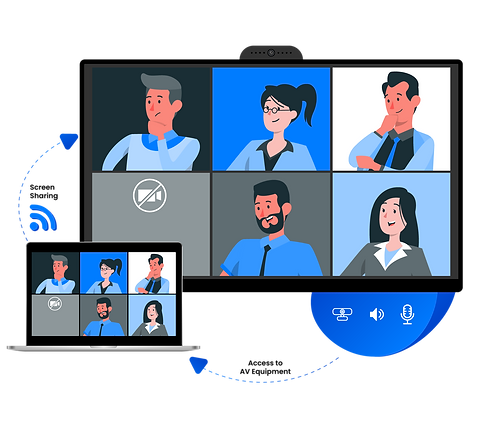
Easily control audio and video devices directly from your laptop.